Shopware <> Odoo integration : Product Description
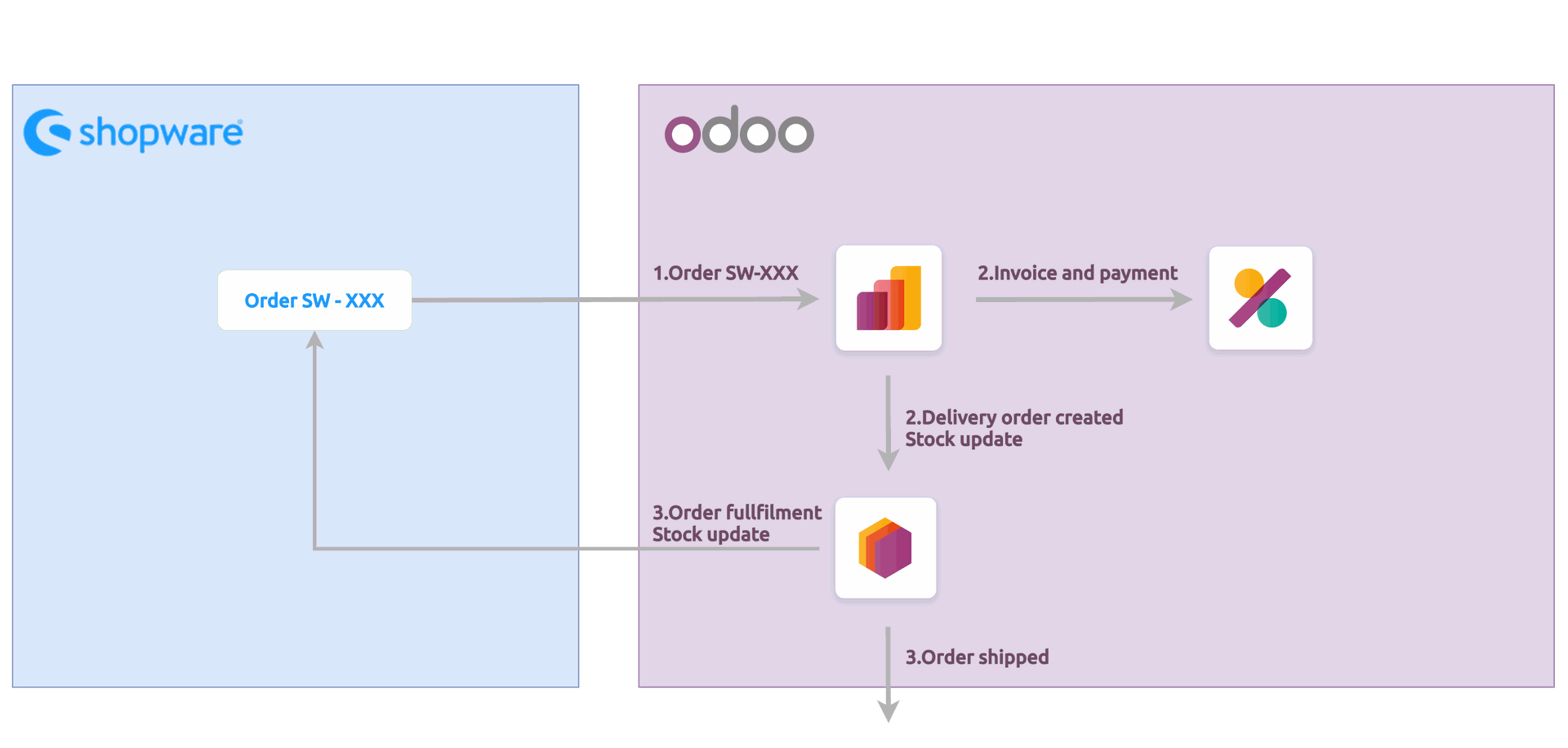
The much. Shopware – Odoo integration allows you to fully synchronise your products and orders between both platforms, automating your complete e-commerce order workflow — from product catalog management to shipment confirmation.
Synchronise your product data
Whether you manage your products in Odoo or in Shopware, the integration keeps both platforms in sync.
Product template
- Name
- SKU / Barcode
- Tax
- Stock (Odoo → Shopware only)
- Description
- Category
- Sales Price
- Purchase Price
- Images
Product variants
- Name
- SKU / Barcode
- Tax
- Stock (Odoo → Shopware only)
- Sales Price
- Weigh
The integration allows you to :
✅ Manually import and update products in Odoo
✅ Automatically import and update product (scheduled import)
✅ Manually export product to Shopware
✅ Automatically update product in Shopware (real-time, on save)
✅ Automatically export product stock to Shopware (scheduled export)
Import orders into Odoo
Orders are imported in Odoo with the following data :
- Order number
- Order date
- Order lines (products, quantities, unit price, shipping costs, taxes, discounts/vouchers)
- Customer data (name, email, billing and shipping addresses)
- Payment method
- Shipping method
When an order is imported, the integration automatically updates its status in Shopware to In Progress, ensuring your Shopware back-office stays aligned with your Odoo workflow.
The integration allows you to :
✅ Manually import orders
✅ Automatically import orders (scheduled import)
Process orders in Odoo
Once orders are imported and created in Odoo, the integration allows you to :
✅ Automatically confirm orders
✅ Automatically create an invoice
✅ Automatically assign a salesperson and sales team to incoming orders
Update delivery status in Shopware
Once a delivery order associated with an imported Shopware order is shipped or returned in Odoo, the integration keeps Shopware up to date:
✅ Automatically export shipment (real-time or scheduled)
✅ Automatically export return status (real-time or scheduled)
✅ Support for partial shipments and partial returns
Manage returns
When an order is returned in Odoo and the associated reverse delivery is validated, the integration automatically marks the order as Returned in Shopware. Partial returns are supported — Shopware will reflect the partial return status accordingly.
✅ Automatically export return status (real-time or scheduled)
Multi-company support
If you run Odoo with multiple companies, you can create one integration per company. Each integration has its own credentials, settings, and scheduled actions, fully isolated from other companies.
Multi-instance support
If you operate multiple Shopware stores, you can create one integration per Shopware instance in Odoo. Each integration connects independently to its own Shopware environment.