Shopware - Odoo Integration
Release notes
Version 18.0.1.3.0 - 21 Jul 2026
Summary: This release makes Shopware product imports finish reliably — no more stalled runs, missing images, duplicated prices, or imports blocked by an open POS session — and speeds up importing products with many variants.
New Features 🎉
Faster imports for products with many variants Price list entries for all variants of a product are now written in one go instead of one at a time. For a product with 100 variants this cuts the work from roughly 200 database operations down to about 2, so large catalogues import noticeably faster.
No more leftover placeholder variants During import a temporary "placeholder" variant was created and left behind on the product. It had no attributes and no internal reference, but it still showed up under the product's Variants button and caused confusion. It is now cleaned up automatically at the end of each import batch.
Easier customisation for your specific setup The order import and the product import have been broken into smaller, clearly separated steps, and new extension points were added for custom Shopware fields. This means project-specific adjustments can be made without rewriting the whole import — faster to build and safer to maintain.
But Also...
Improvements 🔬
- Product images are now downloaded once per unique image, instead of being re-downloaded for every variant that uses it. This reduces import time and load on your Shopware instance.
Bug Fixes 🔨
- Imports no longer get stuck partway through. If a background worker restarted mid-import, the image step used to either skip every variant or copy the wrong image onto the product. Imports now pick up exactly where they left off, and price setting only starts once images have completed successfully.
- Import jobs that can never succeed no longer retry forever. After 5 failed recovery attempts an item is set aside so the rest of the import can continue instead of the queue being blocked.
- An open POS session no longer stops your order import. Previously, if a point-of-sale session was open, the tax synchronisation step would fail and take the entire order import down with it, on every single run. Tax sync now skips what it cannot change and logs a warning while the import carries on. Note: the manual "Import taxes" button still reports errors clearly, so nothing is hidden when you run it yourself.
- Re-importing a product now works correctly. Re-imports were silently skipping the variant step, so variants were never re-created and only the leftover placeholder remained on the product. Variants are now properly re-created and relinked.
- Prices are no longer overwritten with a wrong value on re-import. Price setting was running twice, and the second pass replaced each variant's own price with the parent product's price — showing up as a 1 EUR placeholder on products that inherit pricing from Shopware. Pricing now runs exactly once.
- Custom fields now refresh on re-import, not just on the first import.
- Products without variants now get their sales price set correctly during import.
Version 19.0.1.1.4 - 13 Jul 2026
Version 19.0.1.1.3 - 19 May 2026
Summary: This release focuses on making product imports from Shopware faster and more reliable when re-importing existing catalogs, fixes several pricing and variant issues, and makes order imports more flexible for partner customisation.
Improvements 🔬
- Internal test suite has been stabilised so the team can release fixes to you with higher confidence.
Bug Fixes 🔨
- Multiple fixes were done to improve the import of large product catalogs.
Version 18.0.1.2.0 - 16 Apr 2026
Summary: Major upgrade to product import with a new High Volume pipeline for large catalogs, variant price synchronization, and multiple reliability fixes for re-imports.
New Features 🎉
- High Volume Product Import
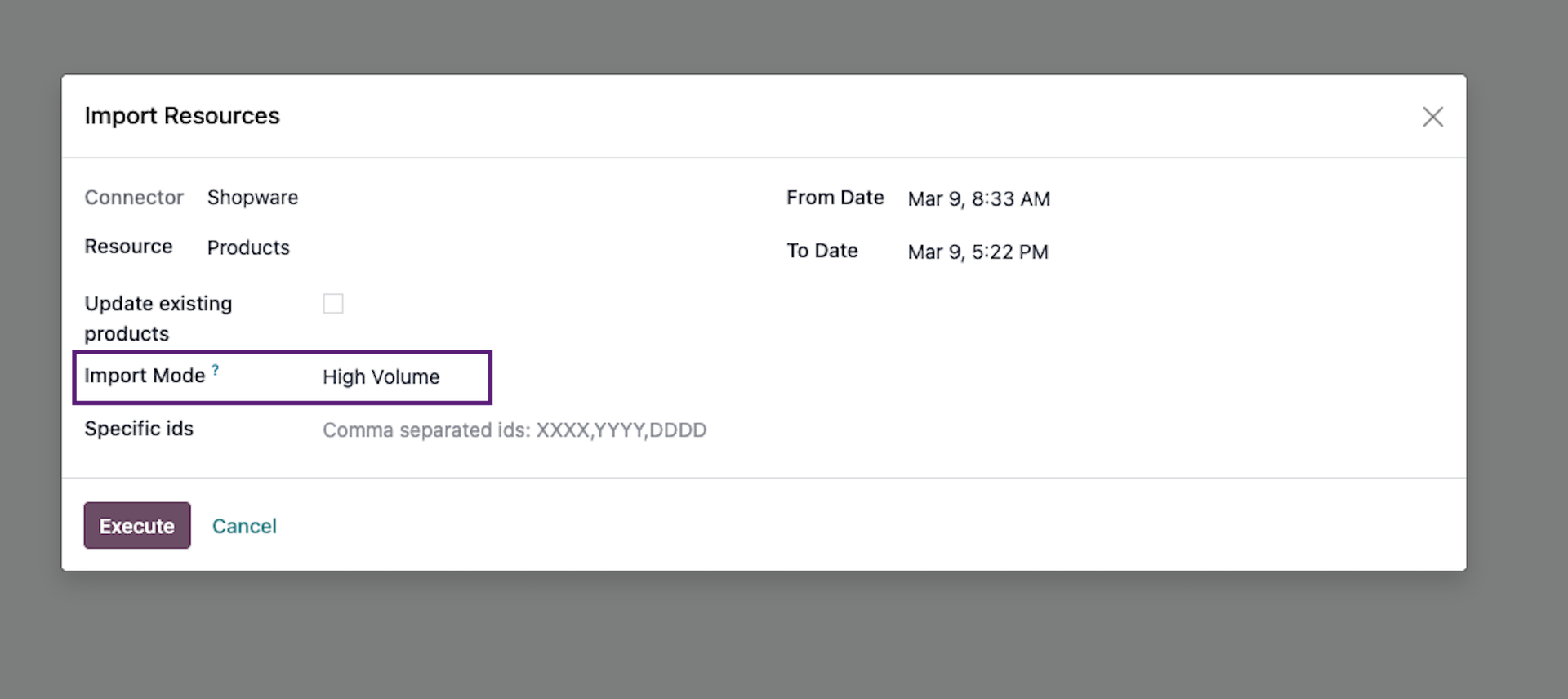
A new "High Volume" import mode has been introduced. It handles large product catalogs more reliably by batching work, surviving container restarts, and recovering from interrupted imports. You can select the import mode(Standard / High Volume) in the resource import wizard. Progress is tracked per product template, and you receive a notification when the import completes.
- Variant Price Import
Product variant prices are now correctly resolved and imported from Shopware, including proper handling of template attribute value pricing.
But Also...
Improvements 🔬
- Stock picking (delivery) exports now log warnings instead of failing silently, making it easier to diagnose export issues.
- Comprehensive test coverage added across all modules for better reliability going forward.
Bug Fixes 🔨
- Fixed order import errors on Shopware 6.6+ caused by internal flags being sent as API filter parameters.
Version 19.0.1.1.2 - 08 Apr 2026
Summary: Fixes a bug where re-importing products in High Volume mode could create duplicate product entries instead of updating existing ones.
Bug Fixes 🔨
- Fixed an issue where re-importing previously imported products in High Volume mode would create ghost duplicate products instead of updating the existing ones. The system now correctly detects already-linked products and updates their name, description, category, and variant data (weight, barcode, SKU) without creating duplicates.
Version 19.0.1.1.0 - 9 Mar 2026
Version - 19.0.1.0.0 - 23rd of December, 2025
Version 18.0.1.1.4 - 30 Oct 2025
Incremental Stock Export. This feature improves the stock export process by :
- Exporting stock in bacthing for large number of products.
- Only exporting products with changed stock levels.
- Order Import Filtering.This feature prevents already shipped, completed, or cancelled orders from being imported from Shopware. This ensures that only relevant orders are brought into Odoo.